What-If Scenario Modeling
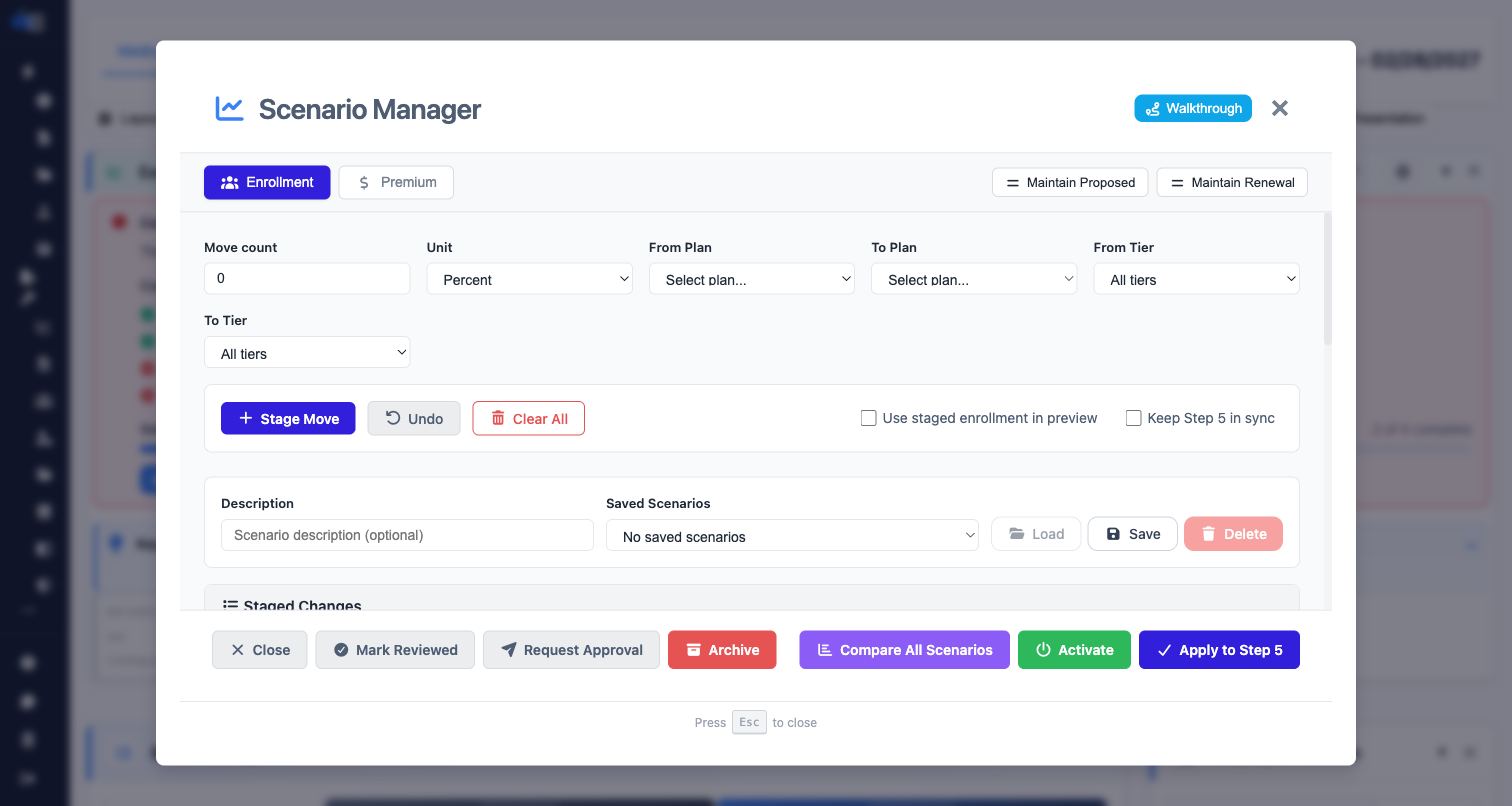
Model unlimited scenarios instantly. Toggle What-If mode to experiment with contribution strategies and see real-time cost impact without touching your baseline.
Why What-If Scenario Modeling?
Instant What-If Analysis
Toggle What-If mode to experiment with changes without affecting your baseline data. See cost deltas in real-time.
Multiple Scenarios
Create and save unlimited scenarios. Compare different contribution strategies side-by-side.
Baseline Preservation
Your original data is always preserved. Reset to baseline anytime with one click.
Cost Delta Tracking
See exactly how each change impacts employer and employee costs with clear delta indicators.
Scenario Comparison
Generate AI-powered scenario insights that compare multiple strategies objectively.
Export Scenarios
Include scenario comparisons in your proposals to give clients options to consider.
How What-If Mode Works
Click the What-If toggle in the toolbar. Your current values are saved as the baseline.
Adjust contribution percentages, enrollment counts, or rates. See cost deltas update instantly.
Review the impact, save as a named scenario, or reset to baseline. Export comparisons for client review.
Ready to Try This Feature?
Start your free proposal today and see the difference.
✓ No credit card required • ✓ Free during beta • ✓ Cancel anytime