Presentation Mode
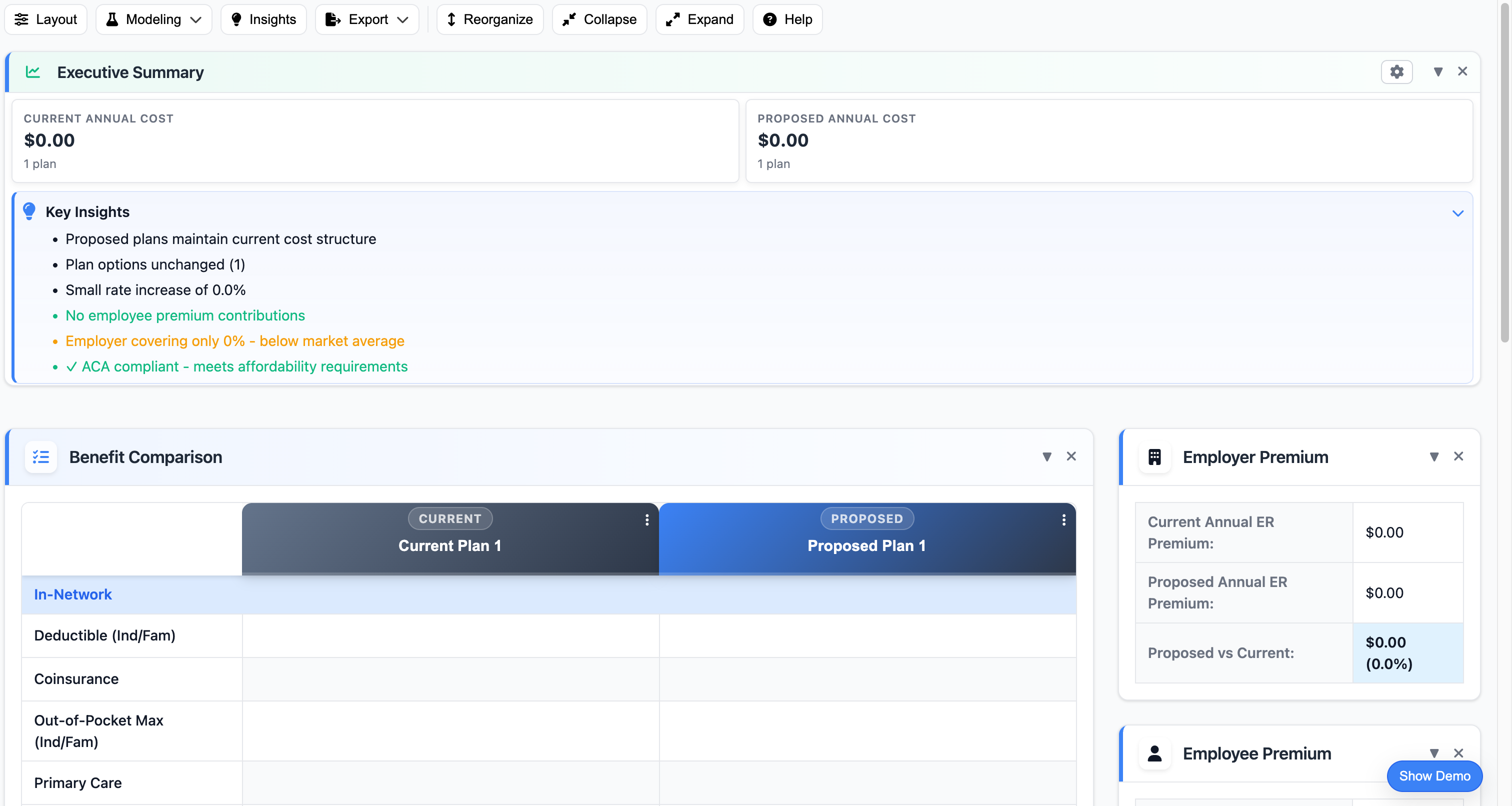
Present benefit proposals in a clean, full-screen view optimized for client meetings. No distractions, just data that sells.
Why Presentation Mode?
Full-Screen View
Hide the interface and show only your proposal data in a clean, distraction-free presentation.
Client-Ready Display
Professional appearance that makes your proposals look polished during live client meetings.
One-Click Toggle
Switch between editing and presentation mode instantly with a single button click.
Screen Share Optimized
Perfect for Zoom, Teams, or in-person presentations—shows only what clients need to see.
Interactive Navigation
Navigate between plan comparisons, executive summaries, and cost breakdowns while presenting.
Keyboard Shortcuts
Use keyboard shortcuts to navigate smoothly without fumbling with your mouse during presentations.
Perfect for Every Meeting Type
Ready to Try This Feature?
Start your free proposal today and see the difference.
✓ No credit card required • ✓ Free during beta • ✓ Cancel anytime